
The Samsung Card taptap O is a versatile credit card designed for lifestyle benefits and overseas use. It offers cashback on the annual fee, mobile discounts, and contactless payment support.
New applicants can benefit from exclusive offers if they apply through digital channels. This guide covers every important step, from application to usage.
What is Samsung Card taptap O?
Samsung Card taptap O is aimed at users looking for flexible spending benefits. It allows domestic and international purchases and includes lifestyle perks.

The card works with Samsung and Monimo apps for digital convenience. Users receive personalized options for their spending habits.
Samsung Card taptap O supports contactless payments for faster checkout. It is available only through online or mobile channels.
Paper statements are not standard and are replaced with mobile notifications. The card is ideal for tech-savvy consumers and travelers.
Main Benefits of the Card
Samsung Card taptap O provides multiple lifestyle benefits. New users may receive a 100% cashback on the first-year annual fee.
It allows selection of lifestyle packages such as mobile, transport, or cinema discounts. The card is suitable for both domestic and overseas use.
You get fast, secure contactless transactions without needing to swipe or insert. The cashback is limited to new issuances through the Samsung or Monimo app.
It is also valid only when issuance is completed by a specified monthly deadline. Users can access services across all major card terminals globally.
How to Apply Online: Step-by-Step
Applying online is the fastest method and ensures eligibility for the cashback benefit. The process is simple and takes only a few minutes.
You will need your Korean ID, mobile number, and banking details. Here is how to complete it.
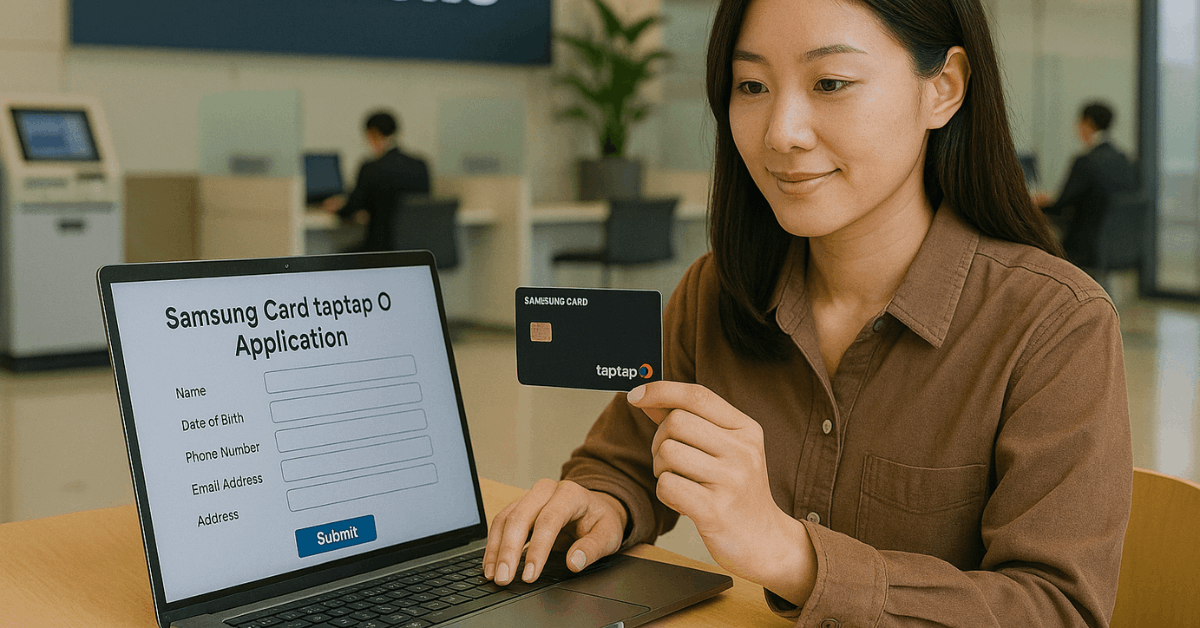
- Visit the Samsung Card website or open the Monimo app.
- Tap "Apply" under the taptap O promotion banner.
- Complete identity verification via mobile authentication or i-PIN.
- Choose your lifestyle package and confirm mobile statement delivery.
- Submit the form and wait for approval confirmation.
In-Person or Offline Application
Samsung Card taptap O is not typically offered offline. Most applications must be made digitally to qualify for promotional benefits.
However, in limited scenarios, banks may assist with manual applications. Here is what you should prepare.
- Bring a valid Korean ID or Alien Registration Card.
- Provide your Korean bank account number and phone number.
- Submit proof of residency or employment if required.
- Speak to a teller about availability and benefits limitations.
- Understand that cashback and mobile perks are exclusive to digital applications.
Conditions for Annual Fee Cashback
The cashback on the annual fee is not automatic. Users must fulfill specific steps and timing requirements.
This offer is limited to first-time cardholders using digital channels. Follow these conditions to qualify.
- Apply for the card by the end of the month and complete issuance by the 13th of the following month.
- Sign up for the Monimo app and stay registered during benefit provision.
- Use the card at least once at a qualified merchant.
- Ensure the card is a new issuance and not a replacement or additional card.
- Excludes Samsung Family Card (SFC) and current Samsung Card users.
Contactless Payment Features
Contactless payments are a highlight of the taptap O card. This feature ensures faster and safer transactions.
It is compatible with both domestic and global terminals. Look for the wave icon on both the card and the merchant terminal.
If your card has the icon, you can tap it at checkout. You don’t need to insert or swipe the card.
Most major retail stores, public transport, and international merchants accept it. It is ideal for fast-paced or travel-heavy lifestyles.
Lifestyle Benefit Packages
The card allows you to choose one benefit package. These packages offer targeted discounts based on personal spending habits.
You can change your package through the app interface. Below are the available options.
- Mobile Discount Package: Apply discounts to your monthly telecom bills.
- Transport Package: Receive discounts on subways, buses, and taxis.
- Cinema Package: Enjoy lower ticket prices at CGV and Lotte Cinema.
Usage Locations and Merchants
The card is accepted widely in Korea and abroad. It works at stores that accept Mastercard or Visa.
You can also link the card to Samsung Pay for added convenience. Here are common usage points.
- Domestic retail chains like Emart, Lotte, and Coupang.
- Public transport and taxi services.
- International merchants in countries with contactless support.
- Online Korean marketplaces and digital services.
Interest Rates and Penalties
Understanding interest rates is crucial for financial safety. Samsung Card uses a variable rate structure.
Delinquency charges apply when payment is late or missed. Here's what you should know.
- Regular interest rate: Determined by your credit profile and card usage.
- Delinquent rate: Regular rate + 3%p (up to 20.0% annually).
- Lump-sum arrears: Installment interest applies after two months.
- Delays in zero-interest plans: Standard installment rates apply after the grace period.
Key Disclaimers and Warnings
The card comes with financial responsibilities. Misuse can affect your credit score. Benefits may vary based on your member status and timing. Read the terms and conditions before committing.
If you issue too many cards, your score and limits may be negatively impacted. Missed payments result in interest and potential full balance repayment.
Cashback applies only to new members and once per person. Check details carefully in your mobile app or on the official site.
Customer Support and Contact Information
Samsung Card provides multiple support options. You can contact them for help with applications, statements, or benefit issues. Here are the main support channels.
- Website: https://www.samsungcard.com
- Customer service number: 1588-8700 (Korea only)
- Mobile app: Samsung Card or Monimo on Android and iOS
- Online chat and email options are available under "Contact Us."
Card Management and Settings
After approval, manage your card through the mobile app. Set up alerts and track your spending.
Update your lifestyle package or switch to a different discount option. Monitor your statements digitally.
Enable overseas usage settings before traveling. Lock the card remotely if lost or stolen.
Use spending insights to manage your budget. You can also apply for card upgrades through the app.
Final Thoughts: Should You Get the Samsung Card taptap O?
Samsung Card taptap O offers substantial value for digital-savvy users. It provides rewards, lifestyle discounts, and global usability.
The 100% annual fee cashback provides an additional incentive for first-time members. Applying online is simple, fast, and essential to unlock all benefits.
If you're looking for a card that suits a mobile lifestyle and supports secure contactless transactions, this is a strong option. Just ensure you meet the conditions to receive cash back and avoid delinquency.
Always monitor your usage through the official app. This step-by-step guide should help you apply with clarity and confidence.